
White-label status pages with custom branding
Built for teams that want their status page to feel like part of their product — not a third-party tool.
Match your status page to your product: upload your logo, set brand colors, add custom CSS, and keep incidents fully on-brand.

Full Customization Control
Ensure your status page aligns perfectly with your company's visual identity.
- Logo & Favicon Upload separate logos for light and dark mode, set a custom favicon, and control where your logo links.
- Brand Color Palette Pick primary, secondary, accent, background, and text colors — or extract them automatically from your logo.
- Built-in Dark Mode Separate color sets for light and dark themes. Visitors get the right look automatically based on their system preference.
- 6 Page Themes Choose from Default, Canvas, Minimal Edge, High Contrast, Soft Cloud, or Terminal to match your brand's personality.
- White Label Remove all StatusPage.me branding from your page so your customers only see your identity.
- Custom CSS & Embed Inject your own CSS for pixel-perfect control, or embed the page in an iframe with
?embed=1.
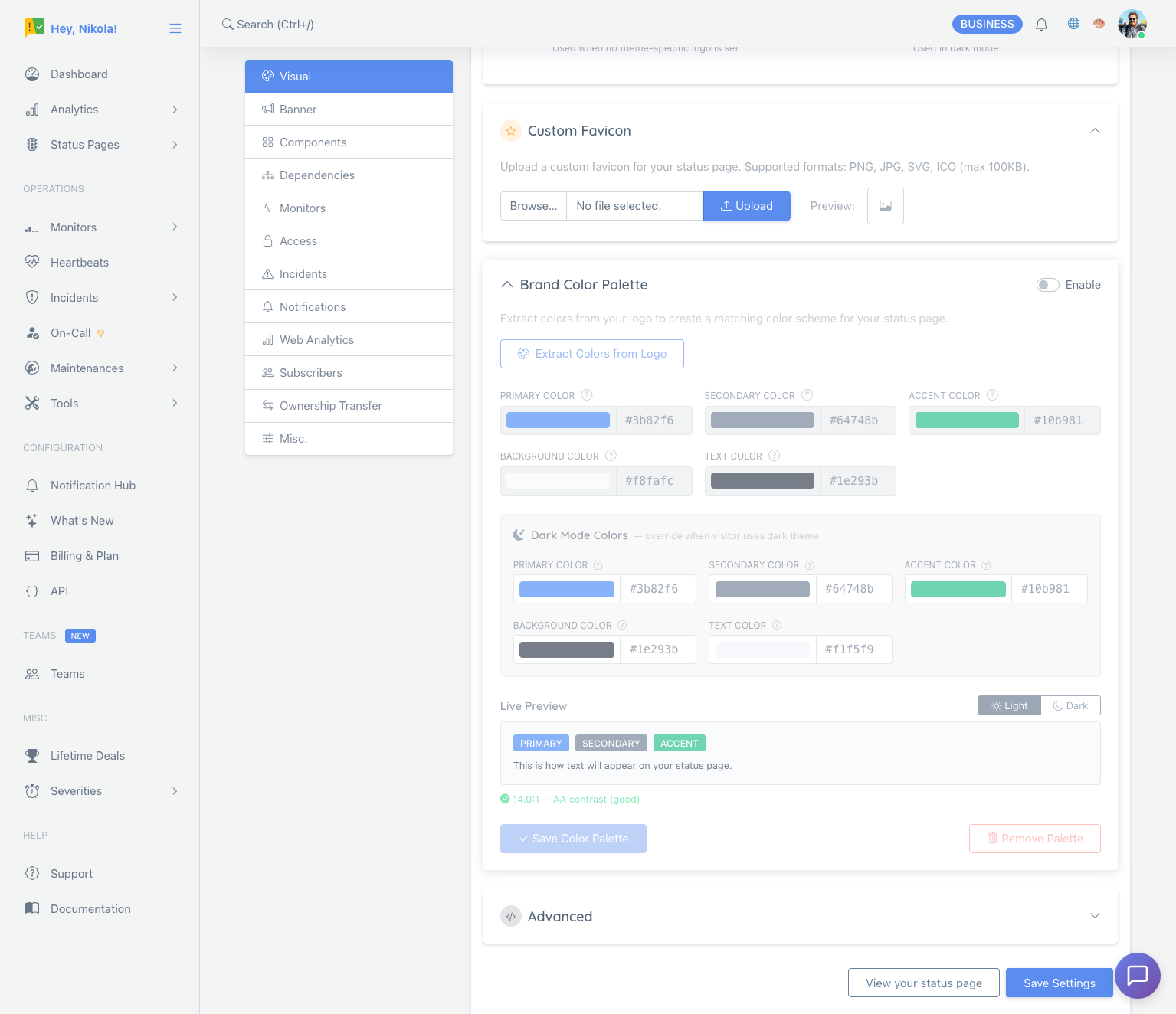
Customize your status page in a few clicks
StatusPage.me gives you full control over the look and feel of your status pages without turning them into a design project.
Upload your logo & favicon
Upload a default logo plus an optional dark-mode variant. Add a custom favicon to complete the white-label look, and set a custom browser tab title that matches your brand.
Set your brand colors
Use the color palette tool to set primary, secondary, accent, background, and text colors for both light and dark modes — or click "Extract Colors from Logo" to generate a matching palette automatically.
Pick a theme & fine-tune
Choose from 6 page themes (Default, Canvas, Minimal Edge, High Contrast, Soft Cloud, Terminal) and preview them with your real page data. Optionally inject custom CSS for advanced control, or use ?embed=1 to embed the page in an iframe on your site.
Basic branding options are available on all paid plans. Free projects still get a clean default theme if you're just getting started.
Need examples of what a trustworthy customer-facing page should include? Start with the University status pages hub.
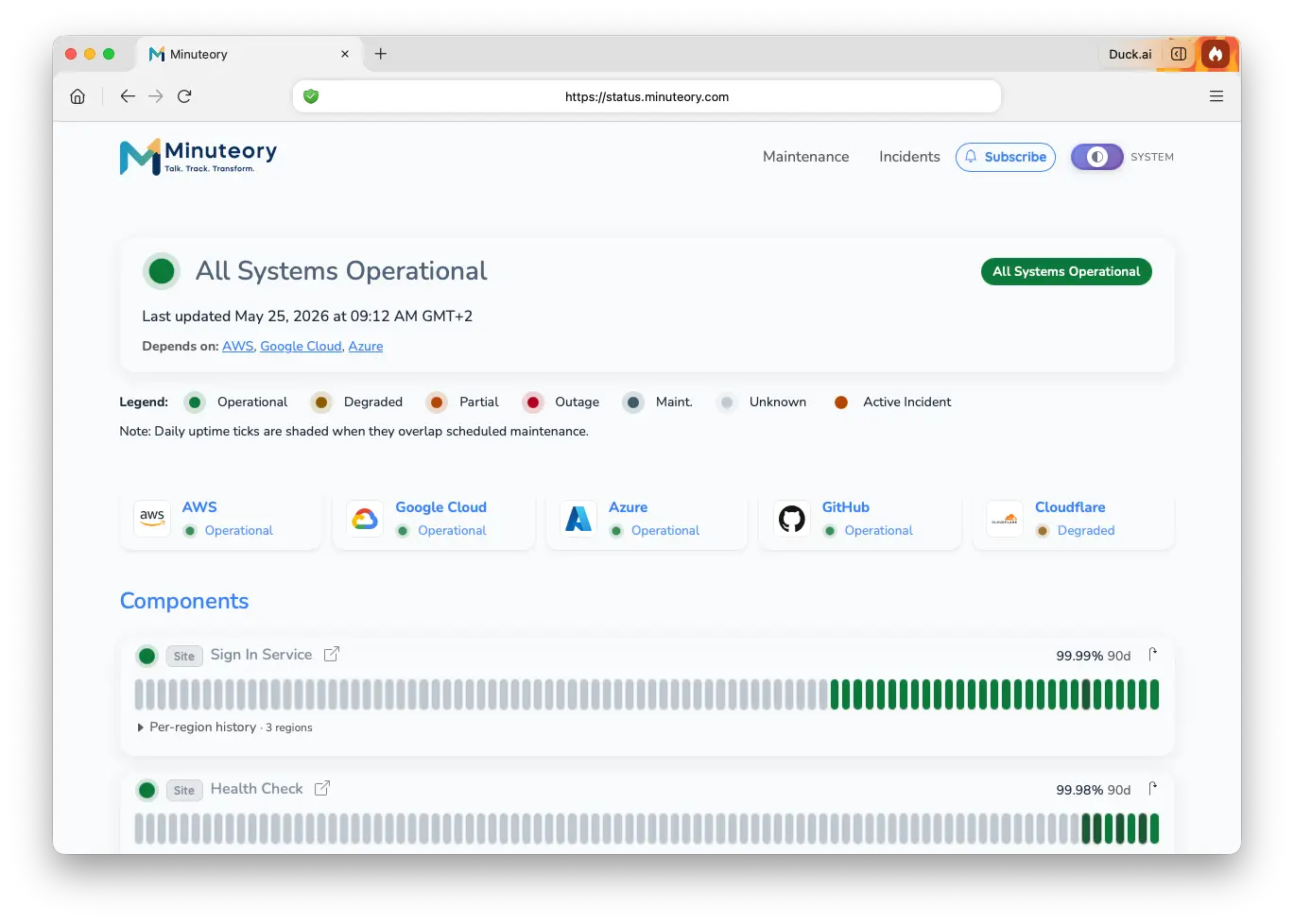
Zero StatusPage.me footprint
Combine custom branding with a custom domain and your customers will never know which tool you're using — they only see your brand.
- Your domain, your logo Pair a custom domain (
status.yourcompany.com) with your logo and colors for a completely on-brand URL and design. - No "Powered by" footer Enable White Label on paid plans to remove the StatusPage.me attribution so your customers only see your identity.
- Embed anywhere Use
?embed=1to strip the navbar and footer and drop your fully-branded status page into an iframe on your own site.
Common questions about custom branding
A quick overview of how white-label status page branding works in StatusPage.me.
Ready to make your status page fully on-brand?
Upload your logo, set your colors, and launch a white-label status page in minutes. No design skills needed.