
Create a status page built for real incidents
Publish service health, connect uptime monitoring, prepare incident updates, and let customers subscribe before the next outage turns into support noise.
Free plan available. No credit card required.
A public source of truth, not a blank page
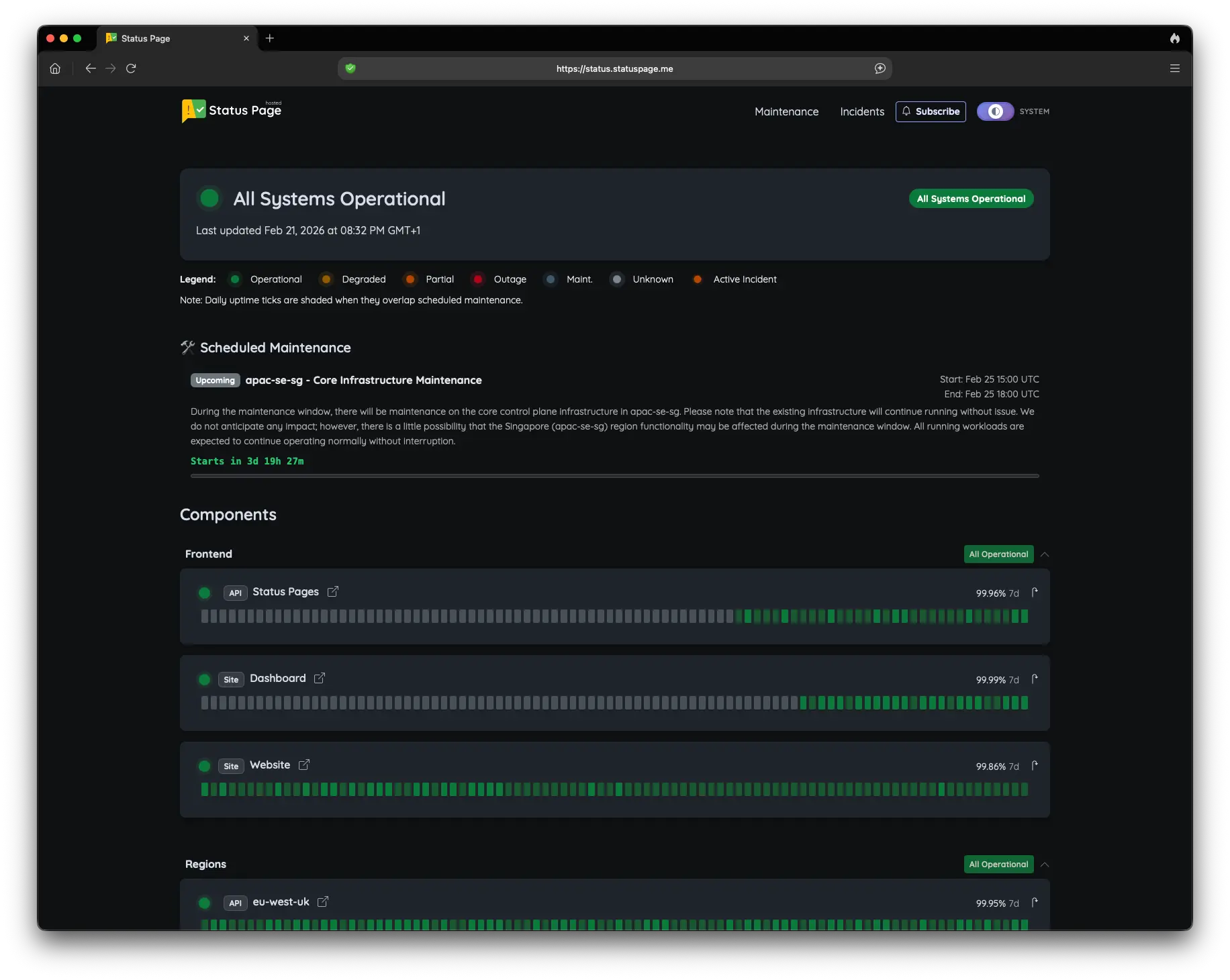
A useful status page shows components customers recognize, current service state, scheduled maintenance, incident updates, and a way to subscribe for changes.
If you are evaluating the platform rather than setting one up, see the status page software overview or the hosted status page comparison.
Create the operating model in five steps
Keep setup simple, but do not skip the communication decisions.
1. Name components
List customer-visible services such as API, dashboard, authentication, or regions.
2. Choose status inputs
Connect uptime monitors where automation helps, or update manual components directly.
3. Prepare incidents
Define how degraded service and outages will be communicated to customers.
4. Enable subscriptions
Let users receive relevant incident and maintenance updates without polling.
5. Share the page
Use the hosted URL or configure a custom status domain for customer access.
Monitoring and manual updates both have a place
Monitoring can identify a failed endpoint and help initiate an incident. Operators still need to communicate scope, mitigation, and recovery in words customers understand.
For update practices, read how status page updates work. For active outage handling, see incident communication.
Practical launch checklist
- Components match customer-facing services.
- Checks avoid shallow CDN-only health signals.
- Subscribers know where updates will arrive.
- Maintenance has a planned communication path.
Creating a status page: common questions
Create the page customers will check during an incident
Set up components, monitoring, incidents, maintenance, and subscriber communication in one hosted platform.
Create your status page Read the setup guide